
Why Laravel Leads the PHP World in the AI Era?
01
Jun
Artificial intelligence is changing how businesses design, ship, and scale software. In that shift, the framework you choose matters as much as the model you call. Among PHP frameworks, Laravel has become a top choice for AI-powered products—not because it runs models itself, but because it excels at everything around them: secure APIs, queues, integrations, observability, and maintainable architecture.
Laravel is built for rapid innovation. Whether you’re building AI chatbots, recommendation engines, intelligent dashboards, document processing pipelines, or analytics platforms, Laravel gives you structure and tooling so teams can focus on intelligent features, not framework friction.
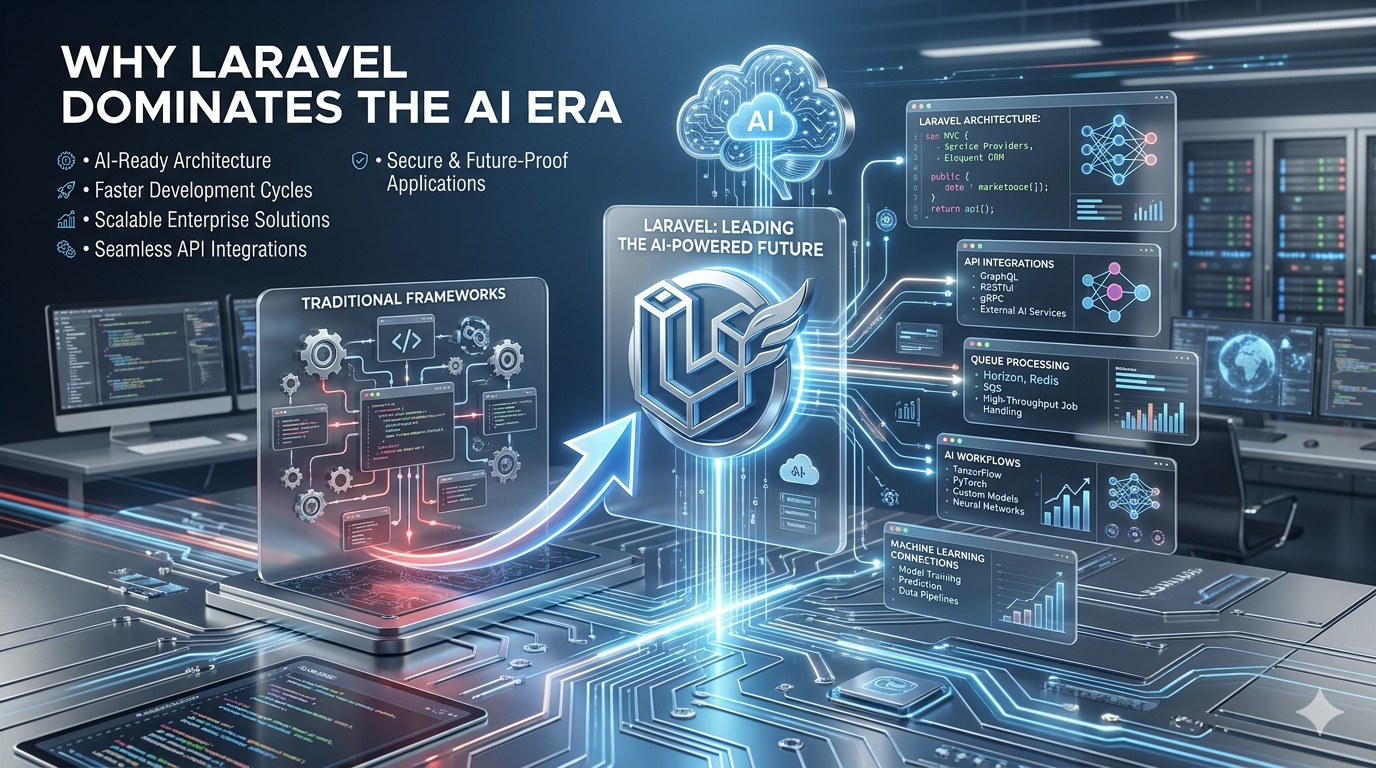
Why Laravel stands out in the AI era
- Simple integrations — Connect OpenAI, Anthropic, Google AI, Hugging Face, or custom ML APIs via HTTP clients and packages
- Maintainable architecture — Services, jobs, and events keep AI logic out of bloated controllers
- Queues for heavy work — Run embeddings, summarization, and batch inference without blocking users
- Security by default — Auth (Sanctum), validation, encryption, and policies for sensitive data
- API-first — Power web, mobile, and partner apps from one backend
- Rich ecosystem — Horizon, Sanctum, Telescope, Pulse, and Laravel Cloud for ops at scale
- Faster delivery — Conventions and packages reduce time-to-market
- Strong community — Documentation, packages, and patterns that evolve with modern needs
Modern businesses need backends that adapt as AI tooling changes weekly. Laravel combines enterprise-grade patterns with developer-friendly workflows—a strong foundation for next-generation applications where intelligence is part of the product, not a side script.
How Laravel fits an AI application
Typical flow:
- User sends a prompt or document via API or web UI
- Controller validates input and dispatches a queued job
- Service calls the AI provider and handles retries/timeouts
- Result is stored (database, cache, vector store) and returned or streamed
- Logs/monitoring track cost, latency, and failures
That pattern keeps requests fast and failures recoverable.
1) AI service class (OpenAI-style HTTP API)
app/Services/AiChatService.php
?php

namespace App\Services;

use Illuminate\Http\Client\RequestException;
use Illuminate\Support\Facades\Http;
use Illuminate\Support\Facades\Log;

class AiChatService
{
    public function ask(string $prompt, array $context = []): string
    {
        $messages = [
            ['role' = 'system', 'content' = 'You are a helpful assistant for a business app.'],
            ...$context,
            ['role' = 'user', 'content' = $prompt],
        ];

        try {
            $response = Http::withToken(config('services.openai.key'))
                -timeout(60)
                -post('https://api.openai.com/v1/chat/completions', [
                    'model' = config('services.openai.model', 'gpt-4o-mini'),
                    'messages' = $messages,
                    'temperature' = 0.4,
                ])
                -throw();

            return $response-json('choices.0.message.content') ?? '';
        } catch (RequestException $e) {
            Log::error('AI request failed', [
                'message' = $e-getMessage(),
                'status' = $e-response?-status(),
            ]);

            throw $e;
        }
    }
}config/services.php (add):
'openai' = [
    'key' = env('OPENAI_API_KEY'),
    'model' = env('OPENAI_MODEL', 'gpt-4o-mini'),
],
2) Queue job for long-running AI tasks
app/Jobs/ProcessAiDocumentJob.php
?php

namespace App\Jobs;

use App\Models\Document;
use App\Services\AiChatService;
use Illuminate\Bus\Queueable;
use Illuminate\Contracts\Queue\ShouldQueue;
use Illuminate\Foundation\Bus\Dispatchable;
use Illuminate\Queue\InteractsWithQueue;
use Illuminate\Queue\SerializesModels;

class ProcessAiDocumentJob implements ShouldQueue
{
    use Dispatchable, InteractsWithQueue, Queueable, SerializesModels;

    public int $tries = 3;
    public int $timeout = 300;

    public function __construct(public Document $document) {}

    public function handle(AiChatService $ai): void
    {
        $summary = $ai-ask(
            "Summarize this document in 5 bullet points:\n\n".$this-document-content
        );

        $this-document-update([
            'ai_summary' = $summary,
            'ai_status' = 'completed',
            'processed_at' = now(),
        ]);
    }

    public function failed(\Throwable $e): void
    {
        $this-document-update([
            'ai_status' = 'failed',
            'ai_error' = $e-getMessage(),
        ]);
    }
}
Dispatch from controller:
ProcessAiDocumentJob::dispatch($document);

return response()-json([
    'message' = 'Document queued for AI processing.',
    'document_id' = $document-id,
]);
Run workers in production:
php artisan queue:work --queue=default,ai --tries=3Use Laravel Horizon to monitor AI queues when volume grows.
3) Protected API endpoint (Sanctum)
routes/api.php
use App\Http\Controllers\Api\AiChatController;

Route::middleware('auth:sanctum')-group(function () {
    Route::post('/ai/chat', [AiChatController::class, 'chat']);
    Route::post('/ai/documents/{document}/process', [AiChatController::class, 'processDocument']);
});app/Http/Controllers/Api/AiChatController.php
?php

namespace App\Http\Controllers\Api;

use App\Http\Controllers\Controller;
use App\Jobs\ProcessAiDocumentJob;
use App\Models\Document;
use App\Services\AiChatService;
use Illuminate\Http\JsonResponse;
use Illuminate\Http\Request;

class AiChatController extends Controller
{
    public function chat(Request $request, AiChatService $ai): JsonResponse
    {
        $data = $request-validate([
            'prompt' = ['required', 'string', 'max:4000'],
        ]);

        // Optional: rate limit per user in production
        $answer = $ai-ask($data['prompt']);

        return response()-json(['answer' = $answer]);
    }

    public function processDocument(Document $document): JsonResponse
    {
        $this-authorize('update', $document);

        $document-update(['ai_status' = 'queued']);
        ProcessAiDocumentJob::dispatch($document);

        return response()-json(['status' = 'queued']);
    }
}
4) Rate limiting & cost control
routes/api.php
Route::middleware(['auth:sanctum', 'throttle:ai'])
-post('/ai/chat', [AiChatController::class, 'chat']);app/Providers/AppServiceProvider.php
use Illuminate\Cache\RateLimiting\Limit;
use Illuminate\Support\Facades\RateLimiter;

public function boot(): void
{
    RateLimiter::for('ai', function ($request) {
        return Limit::perMinute(20)-by($request-user()?-id ?: $request-ip());
    });
}
Best practices for Laravel + AI projects
- Never expose API keys in frontend code—call AI from the server
- Use queues for anything over a few seconds
- Log token usage / latency for cost and debugging (Telescope, custom metrics)
- Validate and sanitize user input before sending to models
- Store PII responsibly; avoid sending secrets into prompts
- Design idempotent jobs so retries don’t duplicate side effects
- Add fallbacks when providers are down
Built for what’s next
In the AI era, winners ship fast and stay secure and maintainable. Laravel doesn’t replace data science—but it gives you a production-ready backbone for APIs, auth, jobs, scheduling, and integrations that AI products depend on.
At ULT (Universal Links Technology), we build Laravel platforms that connect modern UIs and mobile apps to AI services—with clean architecture, queues, and security so intelligent features scale with your business.