

Laravel Scheduler & Task Automation: Best Practices | ULT
30
May
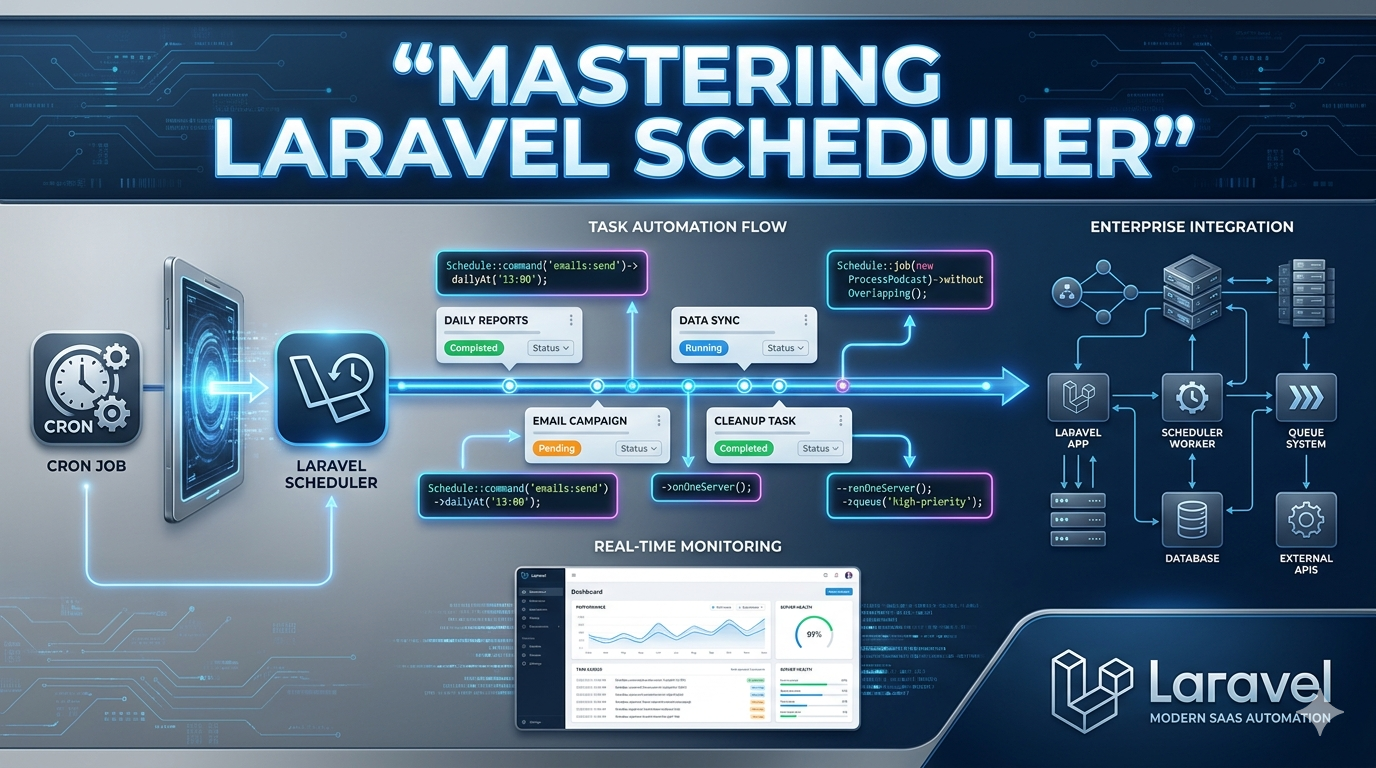
Manually running repetitive tasks is inefficient, error-prone, and hard to scale. Laravel Scheduler gives you a single, elegant place to automate recurring work—database cleanup, report generation, email alerts, backups, queue monitoring, and more.
Instead of juggling many server cron entries, you define schedules inside your Laravel app. One cron line on the server runs schedule:run every minute; Laravel decides what actually executes. That keeps operations organized, version-controlled, and easier for your team to maintain.
The best approach is to keep scheduled work modular, lightweight, and monitored. Combine the scheduler with queues, logging, and notifications so heavy jobs don’t block the scheduler and failures are visible before users are affected.
Why Laravel Scheduler matters
- One cron entry — * * * * * php artisan schedule:run
- Centralized logic — all tasks in routes/console.php or bootstrap/app.php (Laravel 11+)
- Readable schedules — fluent API (daily(), hourly(), weekly(), etc.)
- Safer execution — withoutOverlapping(), onOneServer(), timeouts
- Better ops — logs, Slack/email on failure, integration with queues
Best practices
- Put work in dedicated Artisan commands, not inline closures with heavy logic
- Dispatch resource-intensive jobs to queues instead of running them synchronously in the scheduler
- Use withoutOverlapping() to prevent duplicate runs
- Use onOneServer() when multiple app servers share one database
- Log and alert on failures (mail, Slack, monitoring tools)
- Schedule cleanup and maintenance (old tokens, logs, temp files) regularly
- Group related schedules for clarity
- Test commands manually before relying on them in production
Code examples
1) Server cron (required once per server)
* * * * * cd /path-to-your-project && php artisan schedule:run /dev/null 2&1
2) Define schedules — routes/console.php (Laravel 11+)
?php
use Illuminate\Support\Facades\Schedule;
use App\Jobs\GenerateMonthlyReportJob;
use App\Jobs\CleanupExpiredTokensJob;
// Run a custom Artisan command daily at 1:00 AM
Schedule::command('app:cleanup-temp-files')
-dailyAt('01:00')
-withoutOverlapping()
-onOneServer()
-appendOutputTo(storage_path('logs/scheduler-cleanup.log'));
// Dispatch heavy work to the queue every hour
Schedule::job(new GenerateMonthlyReportJob)
-monthlyOn(1, '02:00')
-withoutOverlapping()
-onOneServer();
// Inline task for small, quick maintenance
Schedule::call(function () {
\App\Models\PasswordResetToken::where('created_at', '', now()-subDay())-delete();
})-daily()-name('delete-old-reset-tokens')-withoutOverlapping();
// Queue-based cleanup job every night
Schedule::job(new CleanupExpiredTokensJob)
-dailyAt('03:30')
-withoutOverlapping()
-onOneServer();
// Notify team if scheduler health check fails
Schedule::command('app:queue-health-check')
-everyFiveMinutes()
-emailOutputOnFailure('devops@yourcompany.com');
Laravel 10 and below — same definitions live in app/Console/Kernel.php inside the schedule() method.
3) Dedicated Artisan command — app/Console/Commands/CleanupTempFiles.php
?php
namespace App\Console\Commands;
use Illuminate\Console\Command;
use Illuminate\Support\Facades\File;
use Illuminate\Support\Facades\Log;
class CleanupTempFiles extends Command
{
protected $signature = 'app:cleanup-temp-files';
protected $description = 'Remove temporary files older than 24 hours';
public function handle(): int
{
$path = storage_path('app/temp');
$deleted = 0;
if (! File::isDirectory($path)) {
$this-info('Temp directory does not exist.');
return self::SUCCESS;
}
foreach (File::files($path) as $file) {
if ($file-getMTime() now()-subDay()-timestamp) {
File::delete($file-getPathname());
$deleted++;
}
}
Log::info("Cleanup temp files completed. Deleted: {$deleted}");
$this-info("Deleted {$deleted} file(s).");
return self::SUCCESS;
}
}
Register in routes/console.php (if not auto-discovered):
use App\Console\Commands\CleanupTempFiles;
4) Queue job for heavy work — app/Jobs/GenerateMonthlyReportJob.php
?php
namespace App\Jobs;
use App\Mail\MonthlyReportMail;
use Illuminate\Bus\Queueable;
use Illuminate\Contracts\Queue\ShouldQueue;
use Illuminate\Foundation\Bus\Dispatchable;
use Illuminate\Queue\InteractsWithQueue;
use Illuminate\Queue\SerializesModels;
use Illuminate\Support\Facades\Mail;
use Illuminate\Support\Facades\Log;
class GenerateMonthlyReportJob implements ShouldQueue
{
use Dispatchable, InteractsWithQueue, Queueable, SerializesModels;
public int $timeout = 600;
public function handle(): void
{
// Build report (query DB, export PDF, etc.)
$reportPath = storage_path('app/reports/monthly-' . now()-format('Y-m') . '.pdf');
// ... generate report logic ...
Mail::to('finance@yourcompany.com')-send(new MonthlyReportMail($reportPath));
Log::info('Monthly report generated and emailed.', ['path' = $reportPath]);
}
}
Run a queue worker in production (Supervisor):
php artisan queue:work --sleep=3 --tries=3 --max-time=3600
5) Health-check command with failure handling
?php
namespace App\Console\Commands;
use Illuminate\Console\Command;
use Illuminate\Support\Facades\Queue;
class QueueHealthCheck extends Command
{
protected $signature = 'app:queue-health-check';
protected $description = 'Verify queue workers are processing jobs';
public function handle(): int
{
$size = Queue::size('default');
if ($size 500) {
$this-error("Queue backlog too high: {$size} jobs.");
return self::FAILURE; // triggers emailOutputOnFailure if configured
}
$this-info("Queue healthy. Pending jobs: {$size}");
return self::SUCCESS;
}
}
6) Test before production
# List all scheduled tasks
php artisan schedule:list
# Run the scheduler once (see what would execute now)
php artisan schedule:run
# Run a single command manually
php artisan app:cleanup-temp-files
Turning background work into a reliable workflow
A well-designed scheduler turns “someone runs this manually” into automated, observable operations. Pair it with queues for heavy tasks, logging for audit trails, and alerts when something fails.
At ULT (Universal Links Technology), we build Laravel applications that use scheduling, queues, and performance tuning so systems stay stable, efficient, and ready to scale—24/7.