

PMS System with Microsoft SSO | License & Password Manager
Date
2025-12-02
Client
Sheldon Roger
Location
United State
About this project
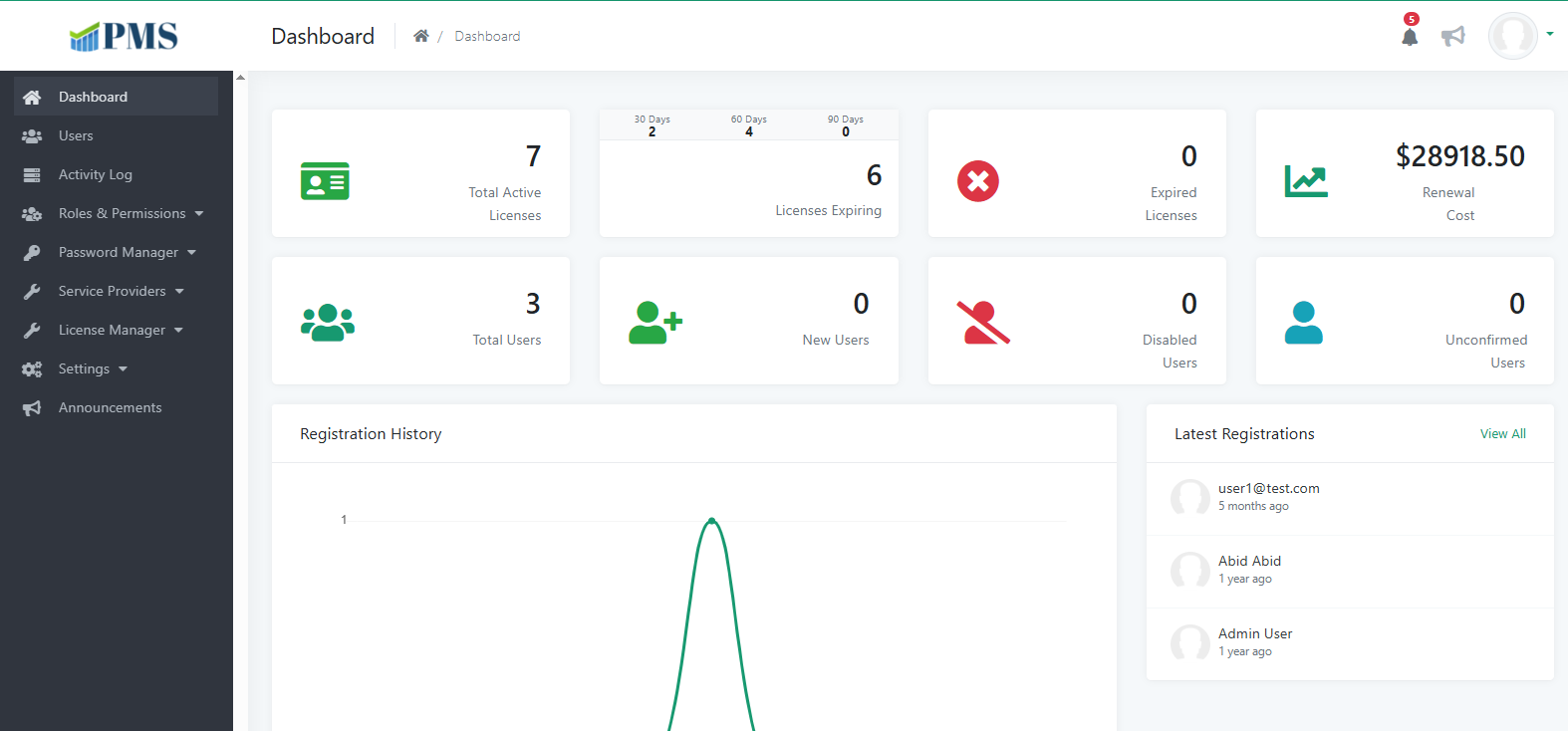
Dashboard
Central home screen with key metrics, quick links, and an at-a-glance view of users, licenses, passwords, and service providers so admins can monitor the system without digging through modules.
Users
Manage employee and admin accounts—create, edit, activate/deactivate users, and control who can access the PMS with role-based access tied to Microsoft SSO login.
Activity Log
Track important actions across the system (logins, updates, deletes) with timestamps and user details for auditing, troubleshooting, and compliance.
Roles & Permissions
Roles
Define job-based roles (e.g. Admin, Manager, Viewer) and assign them to users so access stays consistent and easy to maintain.
Permissions
Control what each role can see and do—menus, CRUD actions, and sensitive areas—so the app follows least-privilege security.
Password Manager
Password
Securely store and manage shared credentials (hosting, tools, vendor accounts) with controlled access instead of spreadsheets or chat.
Categories
Group passwords by type or team (IT, Finance, DevOps, etc.) so entries stay organized and faster to find.
Service Providers
Provider
Maintain vendor/provider records—company details, contacts, and related services—in one structured directory.
Services
Link services to each provider (hosting, SaaS, support, networking) with clear ownership and status for IT operations.
Network Link
Store network-related links and connection details (URLs, portals, docs) tied to providers for quick reference during incidents or onboarding.
License Manager
License Information
Record software licenses—product, seats, cost, vendor, and key dates—in a single source of truth for IT and finance.
Upcoming Renewal
See licenses nearing expiry or renewal so teams can plan budget and renewals before service disruption.
Expired Renewal
Review lapsed or overdue licenses to decide renew, replace, or decommission and avoid compliance gaps.
Graph
Visual charts of license spend, expiry trends, and renewal status for reporting and management decisions.
Settings
Configure system-wide options—branding, defaults, integrations (including Microsoft SSO), notifications, and other admin preferences from one place.
Announcements
Publish internal notices and updates for all or selected users so important PMS news, maintenance, and policy changes reach the right people in-app.
Notifications (Live Notification System)
Real-time alerts keep users informed inside the PMS and by email when important events happen—renewals, password updates, role changes, announcements, and system activity—so nothing critical is missed.
In-App Notifications
Users see live notifications in the application (bell icon / notification panel) as events occur, with read/unread status and quick access to the related screen or record.
Email Notifications
The same events can trigger email alerts to the right users or groups, so people stay updated even when they are not logged into the PMS.
Notification Preferences (optional sub-point)
Users or admins can control which alerts are sent in-app, by email, or both—reducing noise while keeping high-priority updates enabled.
1-Live notification system (in-app + email)
2-Real-time alerts for renewals, users, licenses, passwords, and announcements
3-Read/unread in-app notification center
4-Email delivery for off-app visibility